QR Code Ordering vs. Phone Orders: Which Is Better for Your Deli?
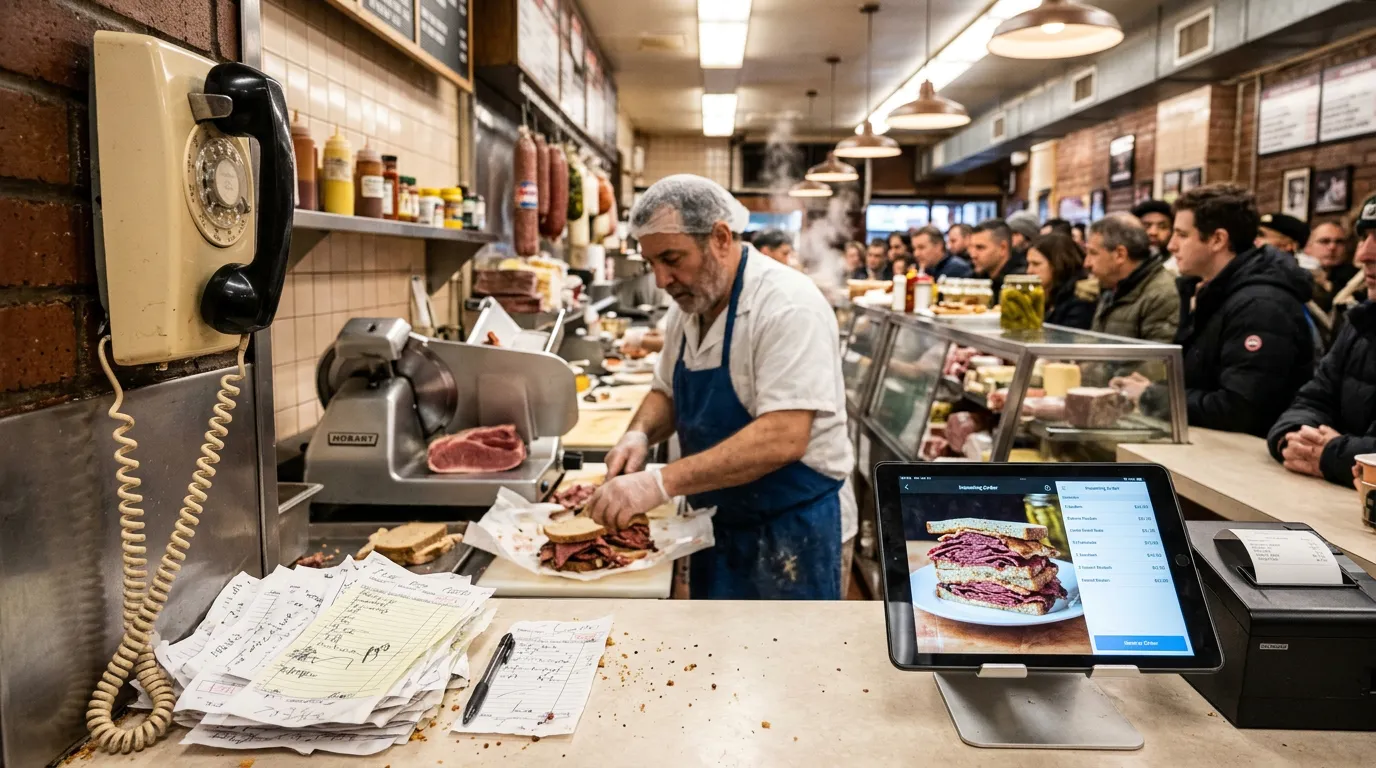
It's 12:15 on a weekday. The line at your deli counter is out the door, the slicer is running nonstop, and the phone won't stop ringing.
Someone has to answer it. That means stepping away from the counter, writing down an order over the noise, reading it back, and hoping nothing got misheard.
For years, phone orders were the only way to let customers order ahead. Today, many delis are adding QR code ordering, where customers scan a code and place their order from their own phone.
But which is better for your deli? And do you have to choose?
This guide compares QR code ordering and phone orders side by side, so you can decide what works best for your counter, your staff, and your customers.
How Phone Orders Work at a Deli
Phone orders are simple and familiar. A customer calls, tells you what they want, and picks it up later.
The trouble is what happens behind the counter:
A staff member stops making sandwiches to answer the phone.
Customers in line wait while the call is handled.
Callers may be put on hold during the rush.
The order is written down by hand, often in a hurry.
Details like bread, toppings, and "no mayo" can be misheard or missed.
Customers call back to ask whether their order is ready.
None of this is anyone's fault. It's just hard to take detailed orders over the phone in a loud, busy room.
How QR Code Ordering Works
With QR code ordering, the menu lives on the customer's phone.
They scan a QR code, on your counter, in your window, on a takeout bag, or on your menu board, and your menu opens in their phone's web browser. There's no app to download.
From there, they:
Browse your menu.
Choose their item and customize it with toppings, options, and extras.
Add a note, like "no onions" or "extra crispy."
Submit the order.
On your side, a sound alert tells your staff a new order has arrived. Each order has its own order number, along with the customer's name and phone number. When the order is ready, you mark it ready and the customer is notified that it's time to pick up.
That's how Billiie Digital Menu Ordering works, and it's built for exactly this kind of busy counter.
QR Code Ordering vs. Phone Orders: Side by Side
Staff time: Phone orders pull someone away from the counter for every call. QR orders arrive on their own, so staff keep working.
Order accuracy: Phone orders depend on hearing every detail correctly. With QR ordering, customers choose their own toppings and add their own notes.
Wait times: Phone callers can end up on hold during the rush. QR customers order whenever they're ready.
Customer convenience: Some customers prefer to talk to a person. Many prefer to order without making a call at all.
Order tracking: Handwritten tickets are easy to misplace. Every QR order has an order number.
Pickup: Phone customers often call back to check on their order. QR customers are notified when it's ready.
Busy periods: Phone lines get overloaded at noon. QR ordering handles several orders at the same time.
Why Order Accuracy Matters So Much at a Deli
Deli orders are some of the most detailed orders in food service.
Think about a single sandwich: the bread, the meat, the cheese, how thin it's sliced, toasted or not, the toppings, the condiments, and maybe a side. Multiply that by a group order for an office lunch, and there are dozens of chances for a mistake.
Every mistake costs you something: a remade sandwich, wasted ingredients, a frustrated customer, and sometimes a bad review.
Order accuracy is where QR ordering makes the biggest difference. When customers build their own order on their phone, choosing from your exact list of options and adding their own notes, there's nothing to mishear. The order arrives at your counter exactly as they placed it.
Why Your Staff Will Thank You
Answering the phone during a rush isn't just a distraction. It's a context switch.
Your best sandwich maker stops mid-order, wipes their hands, picks up the phone, writes everything down, reads it back, and then tries to remember where they were. Then the phone rings again.
With QR code ordering, orders come in without interrupting anyone. Staff can see the new order, make it when it's their turn, and mark it ready. The work flows instead of stopping and starting.
That matters even more for small delis where the same two or three people are slicing, making sandwiches, and running the register.
When Phone Orders Still Make Sense
QR ordering doesn't have to replace the phone completely. Phone orders still make sense when:
Customers prefer to call. Some regulars, especially older customers, would rather talk to someone they know.
The order is complicated or unusual. A large catering order with special requests may be easier to sort out in a conversation.
There's a question to answer. "Do you have any gluten-free bread today?" is still a phone call.
The goal isn't to stop answering the phone. It's to move the routine orders, the everyday lunches, to QR ordering, so the phone is free for the calls that actually need a person.
The Best Approach: Offer Both
Most delis get the best results by offering both, then gently steering routine orders to QR.
A few ways to do that:
Put QR codes where customers decide. On the counter, along the line, in the window, and at the pickup area. Our guide on where to put QR code menus covers the best spots.
Print the QR code on takeout bags and receipts. The next order is one scan away.
Mention it on the phone. "Next time, you can scan the code on your bag and order ahead."
Add it to your menu board. Customers read the board from the line, then scan to order. Our guide on how to create a digital menu board shows how.
Use a separate QR code for catering. Keep large orders in their own menu so they don't mix with everyday lunches.
Billiie Digital Menu Ordering lets you create multiple QR codes for different areas, and send orders to the area of your choice, such as the deli counter, the kitchen, or the pickup area.
What About Takeout Orders?
Takeout orders are where QR ordering really shines.
A customer on their lunch break scans the code at their desk, places their order, and walks over when they're notified it's ready. No waiting in line, no calling, no wondering whether it's done.
For your deli, that means a steadier flow of orders instead of everyone arriving at 12:15 at once.
Is QR Code Ordering Right for Your Deli?
QR code ordering is a good fit if:
Your phone rings constantly during lunch.
You see mistakes on toppings, bread, or special requests.
Your line gets long enough that people leave.
You want to make ordering ahead easier for regulars.
It also works for other counter-service businesses with detailed orders, like sandwich shops, bagel shops, bakeries, and the food counters inside convenience stores.
Getting Started
You don't need to change everything at once. Start with one QR code at the counter and one on your takeout bags. Watch how many customers use it, then add more spots as it catches on.
Billiie Digital Menu Ordering gives you QR code ordering with toppings, extras, and item notes, order numbers, sound alerts, and ready-for-pickup notifications for $20 per month. New to digital menus? Start with what a digital menu is, or see how restaurants and delis use digital signage.
Create your Billiie account and take the pressure off your phone this lunch rush.

Ready to bring Billiie to your business?
Manage your screens, content, and locations from one simple dashboard.
No commercial signage hardware neededPowered by Billiie