Digital Signage Software: The 2026 Guide to Managing Your Screens
The most powerful marketing tool in your business isn't a custom-built display; it's the TV you already own. We've all been there, standing on a chair with a USB stick, praying the file format works this time. It's frustrating to feel stuck with manual updates or worried about the high cost of proprietary hardware. You just want your screens to look great without the technical drama. Modern digital signage software makes that dream a reality.
You're ready for a solution that just works. This guide shows you how to use cloud-based tools to take total control of your displays from anywhere. You'll learn how to turn existing hardware into professional marketing tools, avoid the "tech tax," and even meet the new 2026 ADA Title II accessibility rules with ease. We're breaking down how to manage your content, sync your menus, and keep your brand looking sharp without ever touching a ladder again. Let's get your screens working as hard as you do.
What is Digital Signage Software and Why Does Your Business Need It?
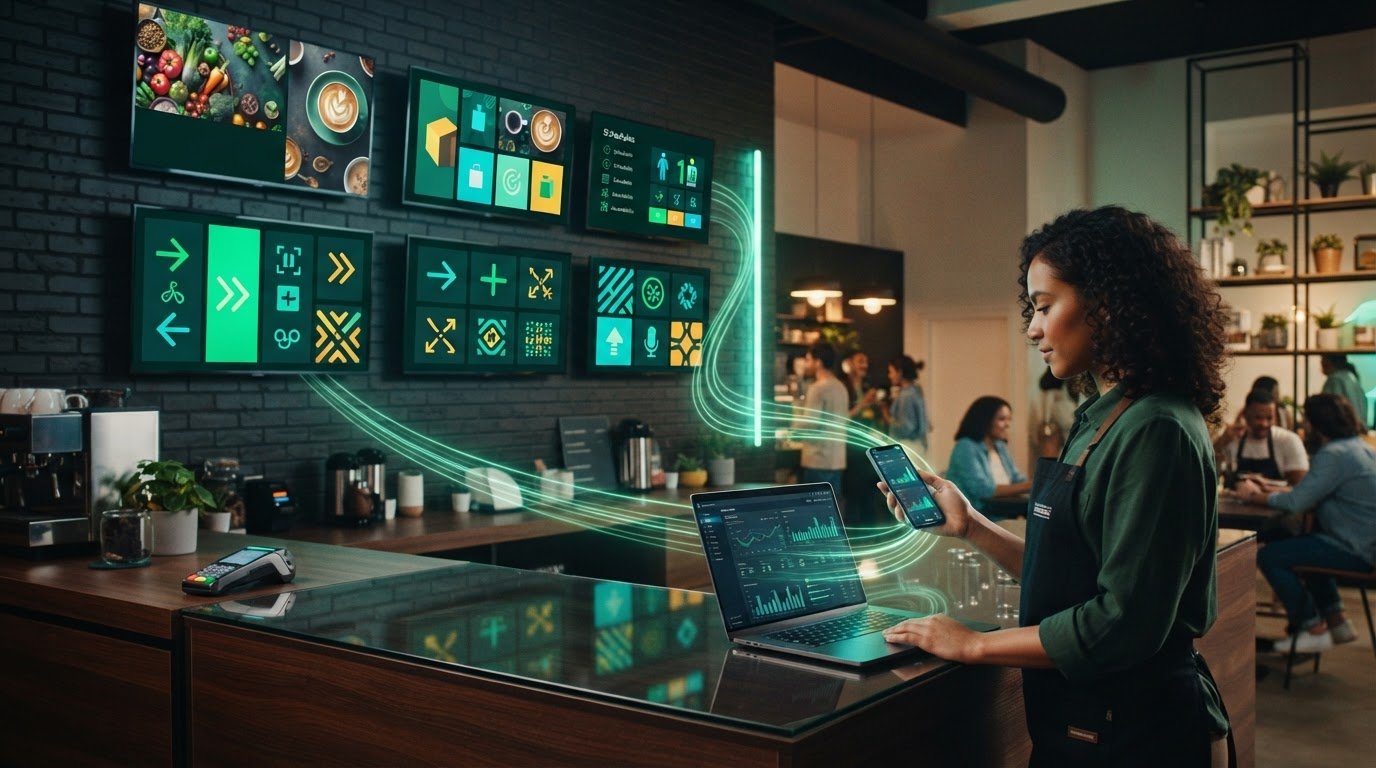
Think of your screens as a team. Your TV provides the muscle, but Digital signage software is the brain. It's the engine that tells your displays what to show, when to show it, and how to look amazing. You don't need a degree in IT or a closet full of expensive servers to get started. You just need a simple way to connect your ideas to your screens. Modern digital signage softwarehandles the heavy lifting from your laptop or phone, letting you manage everything from the comfort of your office chair.
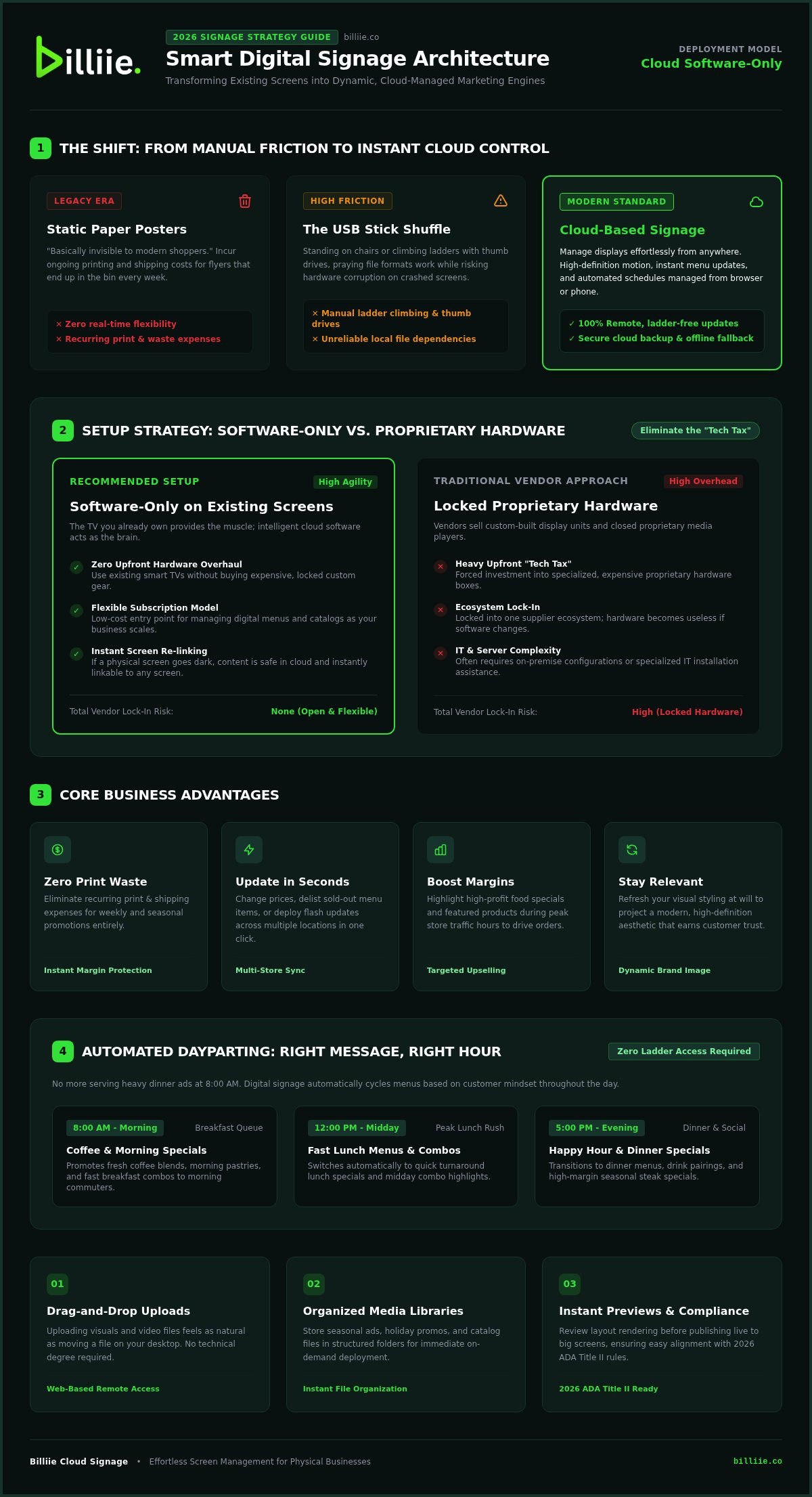
Stop the "USB stick shuffle" right now. You shouldn't have to climb ladders or run around with thumb drives every time a special changes. This technology lets you communicate with your customers instantly. It bridges the gap between your marketing ideas and the eyes of your guests. It’s about making your life easier while making your business look better.
The Shift from Static to Dynamic Displays
Printed posters are basically invisible to the modern shopper. In 2026, customers expect high-definition movement and bright, crisp visuals. A static paper sign feels like a relic from another era. Movement captures the eye in a way that paper never could. When your screens feature scrolling text, vibrant videos, or changing images, you demand attention. This transition does more than just show information; it builds a modern brand image instantly. It tells your guests that your business is current, professional, and ready for the future.
Core Benefits for Small Business Owners
Managing a business is hard enough without worrying about printing costs. Stop paying for flyers that end up in the bin every Monday. With digital signage software, you can change your entire strategy in seconds without spending a dime on paper or ink. It gives you the agility to react to your day in real time.
Save on costs: Eliminate recurring printing and shipping fees for seasonal promotions.
Update in seconds: Change prices or remove sold-out items across multiple locations with one click.
Boost your margins: Highlight high-profit specials during peak hours to guide customer choices.
Stay relevant: Refresh your visual style whenever you want to keep the "new" feeling alive.
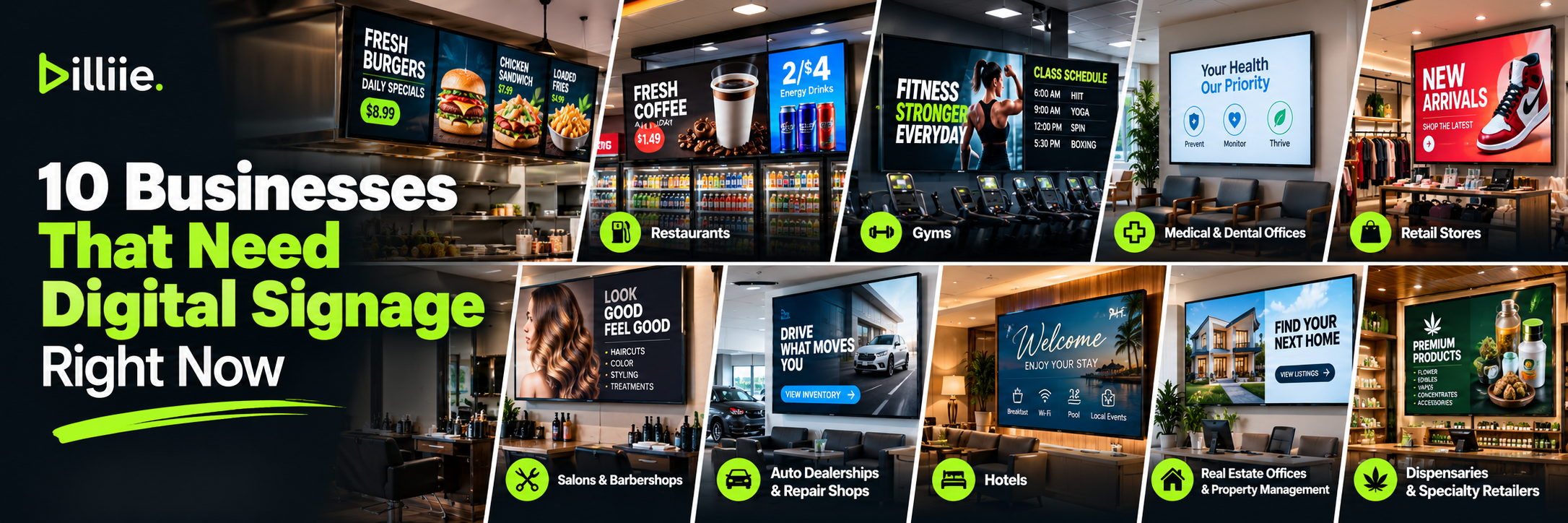
You gain total control over the atmosphere of your space. Whether you are running a cafe, a retail shop, or a local gym, these tools ensure your messaging is always accurate and engaging. It’s the ultimate digital assistant for your physical location.
How Cloud-Based Signage Works: Remote Control for Every Screen
Managing your screens shouldn't feel like a workout. Cloud-based systems move the work from your feet to your fingertips. Instead of storing files on a fragile USB stick, your content lives on a secure, high-speed server. This means your TV just needs to listen to the internet to get its instructions. You can be at a beach, in your home office, or at another store location and still have total power over what's playing. It's safe, snappy, and keeps your displays running even if your local Wi-Fi takes a quick nap.
Reliability is built into the system. Since your files aren't stored locally on the TV, you never have to worry about a hardware crash wiping out your hard work. If a screen goes dark, your content is still safe in the cloud, waiting to be linked to a new display. This modern digital signage software approach ensures that your marketing stays live and your brand stays protected without any technical headaches.
The Upload and Manage Process
Cloud signage is essentially a web-based remote control for your TV that you can access from any browser. Most platforms use a friendly drag-and-drop interface that feels as natural as moving files on your computer. You don't need to be a tech wizard to make it work. Just grab your image or video file, drop it into the dashboard, and you're ready to go.
Drag-and-drop: Uploading is as easy as moving a file on your desktop.
Media Libraries: Keep your holiday ads, seasonal sales, and daily menus organized in folders for quick access.
Instant Previews: See exactly how your content looks before it goes live on the big screen.
Scheduling Content for Maximum Impact
Timing is everything in marketing. You don't want to show a heavy dinner steak special at 8:00 AM when people are looking for coffee. This is where "dayparting" comes in. You can set your screens to switch automatically throughout the day. Set your breakfast menu for the morning, your lunch specials for midday, and your happy hour deals for the evening.
Automation takes the stress out of big events. If you have a flash sale ending at midnight, you can schedule the ad to disappear the second the clock strikes twelve. You won't have to stay up late or remember to log in. You can manage one screen or a hundred screens from a single, unified dashboard. If you want to see how easy this feels, you can explore our cloud-based management tools to get started. Using smart digital signage software means your screens are always relevant, always on time, and always helping you sell more without extra effort.
Choosing Your Setup: Software-Only vs. Proprietary Hardware
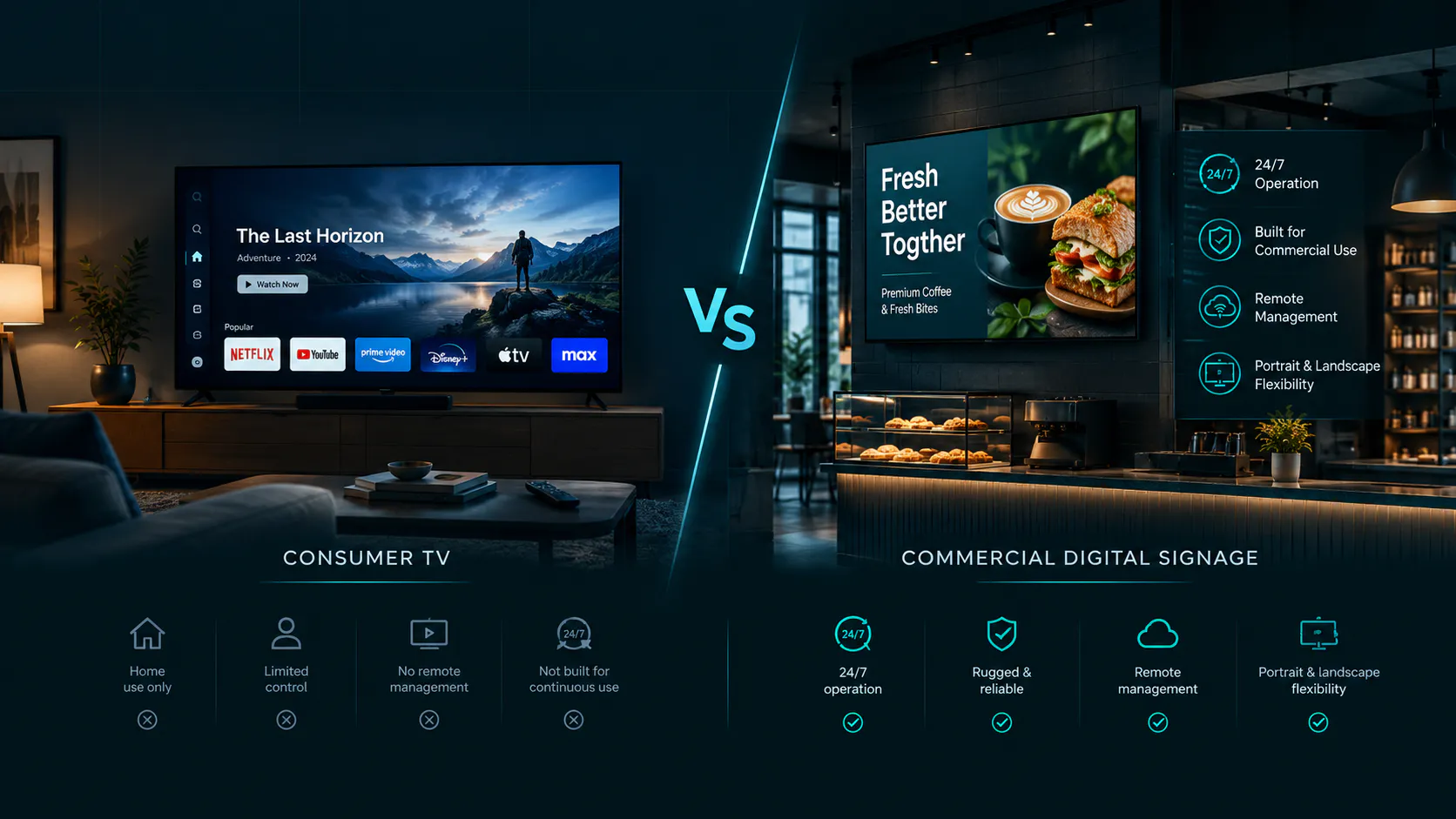
Do you really need to buy a $2,000 specialized monitor just to show your daily specials? The short answer is no. One of the biggest myths in the industry is that professional displays require proprietary, "certified" hardware. In reality, modern digital signage software is designed to play nice with the screens you already own. You can turn a standard consumer Smart TV or a simple $35 streaming stick into a high-performing marketing hub. This software-only approach lowers the barrier to entry, making it easy for small businesses to look like big-budget brands without the heavy investment. You save thousands upfront and get the same vibrant, high-definition results.
By focusing on the software side, you keep your options open. You aren't tied to a single vendor's ecosystem or forced into a long-term hardware contract. This flexibility is the secret weapon for growing businesses that want to stay nimble and responsive to market changes. You get to decide which screens fit your space and your budget best.
The Freedom of Software-Only Platforms
Choosing a software-first path gives you incredible flexibility. You aren't locked into a specific manufacturer or a complicated ecosystem. If you have a Smart TV running Android or FireOS, you're already halfway there. You just download an app, sync it to your account, and start broadcasting. This setup lets you switch software providers instantly if your needs change, all without ever touching your physical screens. It makes scaling your business feel light and effortless. You can mix and match brands, using a budget-friendly screen in the breakroom and a larger display in the lobby, while keeping your messaging perfectly synced.
Why Proprietary Hardware Can Be a Trap
Proprietary hardware often comes with a hidden "tech tax." These systems might look sleek, but they often lock you into specialized maintenance and "certified" repairs that cost a fortune. If that specific hardware brand goes out of business or stops supporting your model, your screens become expensive paperweights. Scaling becomes a headache because you have to stick with one expensive brand to keep everything consistent. It limits your ability to find deals on hardware or upgrade parts of your system independently. You end up paying for features you don't need just to stay within their ecosystem.
Modern digital signage software like Billiie makes the hardware brand irrelevant. We act as the friendly digital assistant that works on almost any device, ensuring you stay in control of your budget and your displays. You get the professional look you want without the proprietary chains. This approach ensures your investment is future-proof, allowing you to upgrade your software features without ever needing to pull a single TV off the wall. It’s about putting the power back into your hands and keeping your business agile.
Essential Features to Look for in 2026
Running your displays should be the easiest part of your day. You don't need to be a computer scientist or an IT expert to make your screens shine. The best digital signage software provides a visual dashboard that feels as simple as using your favorite social media app. You should be able to see exactly what is playing on every screen at a glance. Look for a system that supports all your media, from high-definition videos and bright images to live web links that update in real time. When your tools are this intuitive, you spend less time troubleshooting and more time connecting with your guests.
Precision is your best friend. A robust scheduling tool with a clear calendar view lets you plan your entire month in minutes. You can see your morning coffee deals, afternoon lunch specials, and evening happy hours all lined up perfectly. This real-time synchronization ensures that every screen in your building stays in perfect harmony. If you change a price on your laptop, it should reflect on your wall instantly. You can start managing your screens and see how effortless professional scheduling feels.
Interactive and QR Integration
Your screens can do much more than just show pictures. In 2026, the most successful businesses use their displays to start a conversation. By integrating a Digital QR Catalog, you turn a passive viewer into an active shopper. A customer sees a beautiful item on the screen, scans a code with their phone, and suddenly they are browsing your full inventory or placing an order. This bridges the gap between your physical space and your Digital Menu Ordering system. It creates a low-friction experience where guests feel empowered to explore your offerings at their own pace.
Reliability and Offline Playback
Technology is great until the Wi-Fi decides to take a nap. You shouldn't have to worry about your screens going blank just because the internet flickers. Professional digital signage software uses cached content to keep your ads running smoothly regardless of your connection status. The system should also include health monitoring and automatic restarts to fix minor glitches before you even notice them. Offline playback is a non-negotiable safety net that keeps your brand visible and professional even when your local network takes a break. It gives you peace of mind knowing your marketing never sleeps, ensuring your message stays live and your business stays bright 24/7.
Getting Started with Billiie: Effortless Screen Management
Transforming your business atmosphere shouldn't feel like a chore. Billiie acts as your cheerful, creative enabler, taking the friction out of every display task. We've designed our digital signage software to be the most approachable tool in your marketing kit. You don't need to navigate a maze of enterprise sales calls or wait for custom quotes just to get started. Our platform is built for action, allowing you to turn those "boring" idle TVs into vibrant, sales-driving machines in minutes. It's all about giving you professional flair without the technical headache.
Budgeting is just as simple as the setup. We offer flexible pricing plans designed to grow alongside your business. Whether you are managing a single screen in a local cafe or a dozen displays across a retail chain, you only pay for what you actually use. This tiered subscription model ensures that high-quality screen management stays accessible to everyone, from the solo entrepreneur to the established shop owner. You get all the power of a cloud-based system with none of the typical corporate clutter.
The Billiie Advantage: Beyond Just Signage
We believe your screens should do more than just sit there. Billiie stands out by blending traditional displays with modern interactive tools. You can integrate Digital Menu Ordering directly into your screen strategy, letting your displays do the selling for you. Creating a mobile-friendly Digital QR Catalog takes just a few clicks, instantly connecting your physical space to your customers' smartphones. This combination empowers non-technical owners to look like big-budget brands. You aren't just showing an ad; you are creating a seamless, modern shopping experience that feels inherently rewarding for your guests.
Three Steps to Your First Digital Display
Ready to light up your space? The path from a blank screen to a professional broadcast is shorter than you think. Follow these three simple steps to get moving:
Step 1: Choose your plan. Visit the Billiie website and select the number of screens that fits your current needs. You can always scale up as you add more screens.
Step 2: Connect your hardware. Open the Billiie app on your Smart TV or plug in your favorite media player. It’s a quick sync that takes seconds.
Step 3: Upload and publish. Drop your first image or video into the dashboard, hit the publish button, and watch your screen come to life!
It really is that easy. By choosing a software-only approach, you keep your costs low and your flexibility high. Billiie is here to help you share your brand with the world, one screen at a time. Let's make your business shine today!
Bring Your Brand to Life Today
You've discovered that professional displays don't require a massive IT budget or specialized equipment. By embracing a software-only setup, you can turn any standard screen into a powerful marketing engine using the hardware you already have. The freedom of cloud-based management lets you update ads and menus from any device, giving you total control over your business atmosphere. It's time to move past static posters and embrace the dynamic, interactive world of modern displays.
Choosing the right digital signage software is the final piece of the puzzle. With flexible subscription plans and built-in tools for QR catalogs, you're ready to create a seamless experience that delights your guests and drives sales. There's no need for technical headaches or expensive proprietary traps. You've got the plan, the screens, and the vision to make it happen. We can't wait to see your business shine bright!
Frequently Asked Questions
Do I need special hardware to use digital signage software?
You don't need any specialized or expensive proprietary hardware to get started. Most modern digital signage software runs perfectly on the Smart TVs you already own or simple, budget-friendly streaming sticks. This flexible approach means you can skip the high upfront costs of "certified" monitors. Just download the app to your existing device, sync your account, and you're ready to broadcast your message to the world instantly.
Can I manage multiple screens in different locations at once?
Absolutely! You can control every screen in your network from a single, unified dashboard, no matter where they are located. Whether you have one display in a local cafe or dozens spread across different cities, the cloud-based system keeps everything synced. You can update a price in one location or launch a global promotion across all sites with just a few clicks. It's remote management made incredibly simple and fast.
**
Is digital signage software expensive for a small business?
** Not with Billiie. Your first screen costs $5 per month, and each additional screen costs $1 per month. You can use compatible Fire TV or Android TV devices to get started, with no specialized signage player required.
Upload finished images and videos, create playlists, schedule what appears on each screen, and assign screens to team members—all from one dashboard. It’s an affordable way to give your menus, promotions, and announcements a professional look as your business grows.
What happens if my internet connection goes out?
Don't worry about your screens going dark if the Wi-Fi flickers. The software uses a smart feature called offline playback, which caches your content directly onto the device. Your ads, menus, and videos will keep playing smoothly even without an active connection. Once your internet comes back online, the system automatically checks for any new updates you've scheduled. It's a reliable safety net that keeps your marketing running all day and night.
Can I use a regular Smart TV for digital signage?
Yes, a regular Smart TV is often the perfect choice for your setup. If your TV runs on a standard operating system like Android or FireOS, you can simply download the display app and get to work. This "bring your own device" strategy is a fantastic way to save money while maintaining a professional appearance. It turns your everyday consumer electronics into powerful, sales-driving tools without any technical headaches or complicated wiring.
How do I update my digital menu board remotely?
Updating your menu is as easy as changing a status on social media. You just log into your web-based dashboard from any phone, tablet, or laptop. From there, you can swap out images, adjust prices, or hide items that are out of stock. The changes happen instantly across all your connected displays. It eliminates the need for manual USB updates and ensures your guests always see the most accurate information without you being on-site.
Does digital signage software support video content?
Yes, high-definition video is a core feature of modern digital signage software. You can upload MP4 files, motion graphics, or even live web links to make your displays pop. Movement is a great way to capture customer attention and build a more energetic atmosphere in your store. The system handles the technical bits, ensuring your videos play in a continuous loop without stuttering or requiring any manual intervention from your busy team.
Can I integrate QR codes into my digital displays?
Integration is one of the best ways to turn viewers into shoppers. You can easily add QR codes to your screens that link directly to a Digital QR Catalog or a Digital Menu Ordering system. When a customer scans the code with their smartphone, they get instant access to your full list of offerings. It’s a wonderful way to bridge the gap between your physical space and your digital storefront, making every interaction feel rewarding.
Ready to bring Billiie to your business?
Manage your screens, content, and locations from one simple dashboard.
No commercial signage hardware neededPowered by Billiie