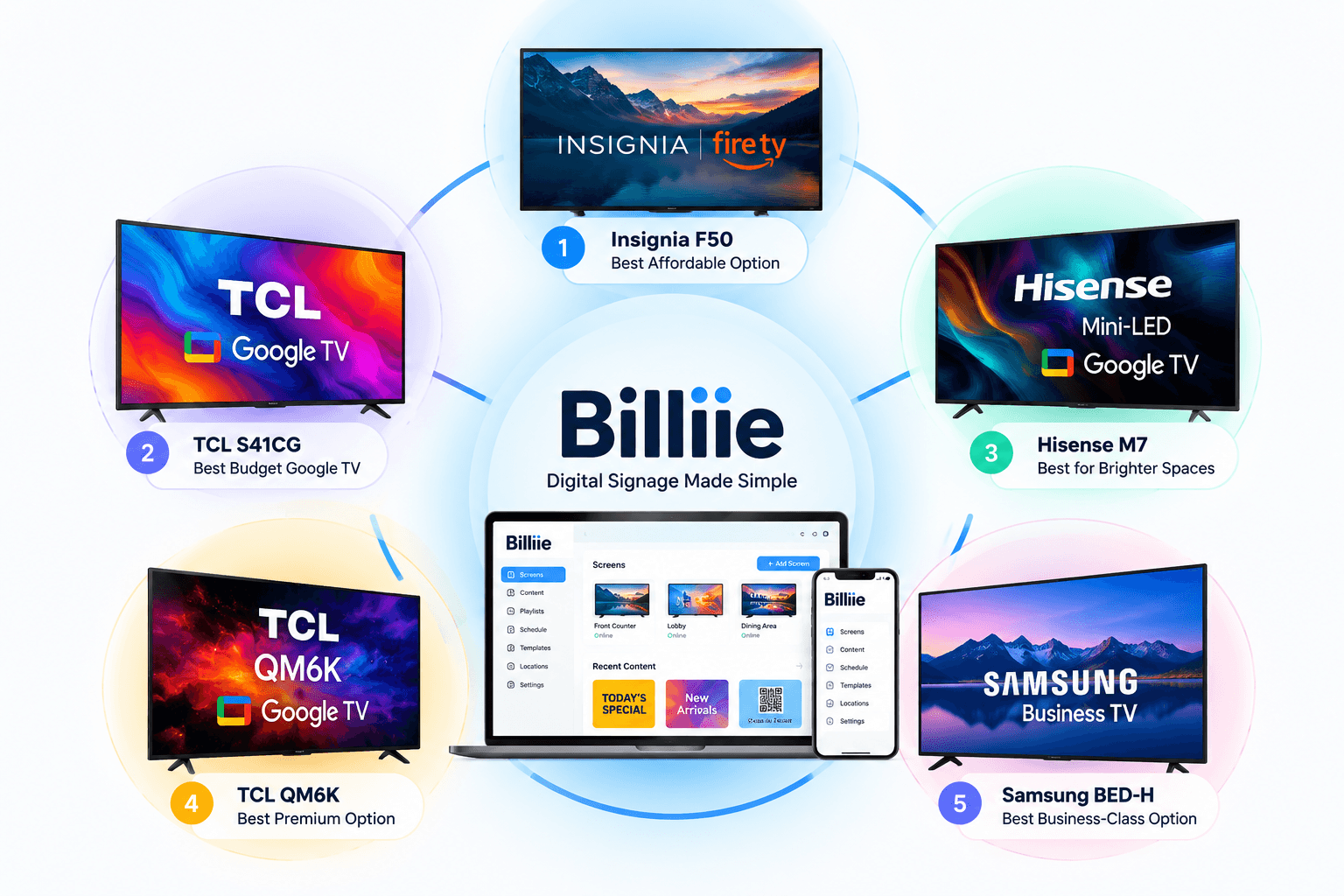
5 Best TVs for Digital Signage in 2026: A Practical Guide for Small Businesses
Choosing the best TV for digital signage doesn't necessarily mean buying the most expensive television on the wall.
For a restaurant displaying a digital menu for 10 hours a day, a $200 consumer television may be perfectly practical. A screen operating 16 hours every day in a busy retail location has different requirements. And a display expected to operate around the clock requires another level of hardware entirely.
That's why comparing TVs for digital signage purely by picture quality can be misleading.
For business signage, we care about different things: reliability, operating hours, brightness, screen size, mounting options, connectivity, smart-TV platform, price, and how easily the screen fits into the business's actual setup.
We researched current consumer and business displays to find five options worth considering in 2026.
Our choices range from affordable consumer smart TVs to purpose-built business signage displays.
Here are five of the best TVs for digital signage and, more importantly, who should consider each one.
What Makes a Good TV for Digital Signage?
Before looking at specific models, it helps to understand what actually matters.
A home buyer may compare speakers, gaming performance, streaming features, and movie quality.
A business owner has different priorities.
Screen Size
Your content needs to be readable from where customers actually stand or sit.
A 43-inch display might work perfectly behind a small counter. A restaurant with menu boards mounted high behind the register may benefit from 50- or 55-inch screens. Larger waiting rooms, retail environments, and lobbies may require something bigger.
Don't choose a screen based only on what fits the wall.
Consider viewing distance.
4K Resolution
Today, 4K has become common even among inexpensive televisions.
That's good news for signage.
Menus, photographs, promotional graphics, QR codes, and other visual content can look sharp on a 4K digital signage TV, provided the original design is created at an appropriate resolution.
Brightness
A TV that looks great in a dim living room isn't automatically ideal for a bright storefront.
The more ambient light you have, the more important brightness becomes.
This is especially relevant for displays near windows.
Connectivity and Smart TV Platform
Wi-Fi is the obvious requirement for most cloud-based signage installations, but Ethernet can also be valuable.
A wired network connection provides another option when Wi-Fi isn't reliable in the part of the building where the TV is installed.
The smart-TV operating system matters as well.
Fire TV, Google TV, Android TV, and other platforms have different app ecosystems. Before purchasing multiple televisions, make sure your signage software is compatible with the hardware you intend to use.
If you're starting with a television rather than an existing signage system, read our guide on how to turn a smart TV into a digital menu board. It walks through the process of taking a regular smart TV and turning it into a business display.
Wall-Mount Compatibility
Most business displays end up on a wall.
Check the television's VESA mounting pattern and make sure your mount is rated for the TV's dimensions and weight before installation.
Operating Hours
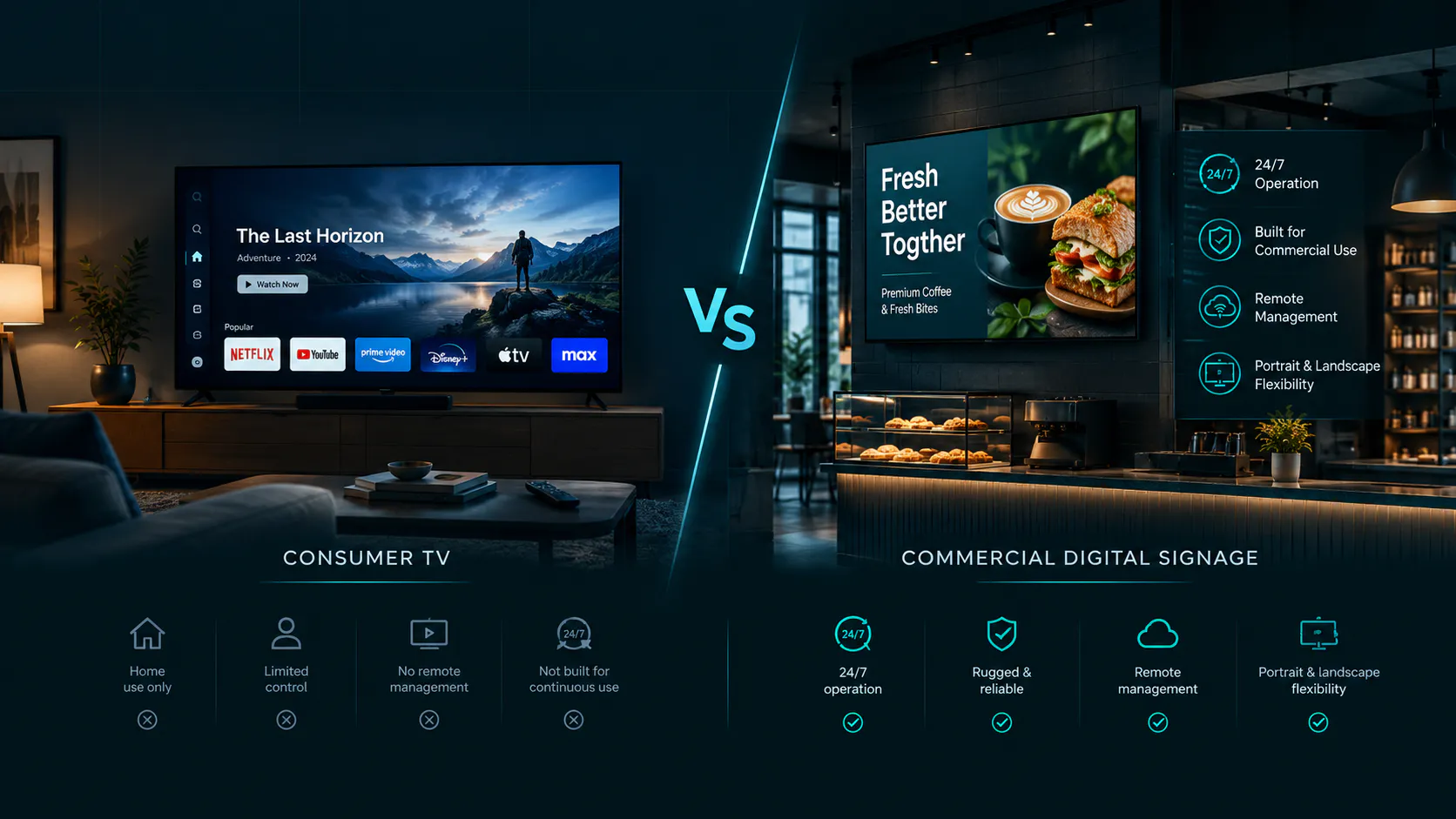
This is one of the biggest differences between a regular television and commercial signage hardware.
A consumer television may work well for normal business hours, but purpose-built business displays can have manufacturer-rated operating schedules such as 16 hours per day, seven days per week.
That distinction becomes increasingly important as daily screen time increases.
1. Insignia F50 Series Fire TV — Best Affordable TV for Digital Signage
Insignia F50 Series Fire TV
Recommended Size: 55″
Typical Price: Around $200
Resolution: 4K UHD
Platform: Fire TV
Best For: Affordable small-business signage
For small businesses trying to keep startup costs low, the Insignia F50 Series is one of the first models we'd consider.
The current 55-inch F50 is a 4K LED television with Fire TV built directly into the TV. It offers the connectivity and wall-mounting capabilities most small-business indoor signage installations need.
Why We Like It for Digital Signage
The price is the obvious advantage.
Imagine a restaurant needs five menu screens.
The difference between buying five approximately $200 televisions and five $700 commercial displays becomes significant very quickly.
The built-in Fire TV platform is another advantage for compatible signage applications because an additional external streaming stick may not be necessary.
For businesses using Billiie, Fire TV compatibility can make the setup especially straightforward.
A business can install Billiie on a compatible Fire TV device, pair the screen with its account, upload finished images or videos, and manage the screen remotely.
Best For
The Insignia F50 makes sense for:
Restaurants
Delis
Coffee shops
Small retail stores
Smoke shops
Waiting rooms
Office signage
Digital menu boards
Indoor promotional displays
What to Consider
This is still a consumer television.
We would not present it as the equivalent of a commercial display engineered specifically for extended daily or 24/7 signage use.
But for an indoor small business operating its screens during normal business hours, the value is difficult to ignore.
Best overall value for small-business digital signage: Insignia F50 Series Fire TV.
2. TCL S41CG Google TV — Best Budget Google TV for Digital Signage
Recommended Size: 55″
Model: 55M7SG
Typical Price: Around $280–$300
Resolution: 4K UHD
Display: Mini-LED / QLED
Smart Platform: Google TV
Best For: Bright retail stores, restaurants, showrooms, reception areas, and lobby signage
Not every business wants Fire TV.
For businesses that prefer the Google TV ecosystem, the TCL S41CG is an interesting budget alternative.
The 55-inch S41CG is a 4K UHD Google TV positioned in the same aggressive budget category as many entry-level Fire TVs.
Why Google TV Matters
The operating system of a smart television is worth considering before buying multiple displays.
If the signage software you intend to use is available directly on Google TV or Android TV, having that operating system built into the television can simplify installation.
There may be no need to attach a separate media player to every screen.
That's particularly helpful when installing several screens side by side.
Fewer external devices can mean fewer cables, fewer power adapters, and fewer pieces of equipment behind the television.
Best For
The TCL is worth considering for:
Digital restaurant menus
Retail promotions
Office displays
Waiting-room signage
Checkout-area screens
Small-business informational screens
If you're looking for the best smart TV for digital signage on a tight budget and prefer Google TV, this is the category we would investigate first.
Recommended Size: 55″
Model: 55S41CG
Typical Price: Around $198–$200
Resolution: 4K UHD
Smart Platform: Google TV
Best For: Restaurants, retail stores, waiting rooms, offices, and affordable digital menu boards
3. Hisense M7 Mini-LED Google TV — Best for Brighter Indoor Spaces
Recommended Size: 55″
Model: 55M7SG
Typical Price: Around $280–$300
Resolution: 4K UHD
Display: Mini-LED / QLED
Smart Platform: Google TV
Best For: Bright retail stores, restaurants, showrooms, reception areas, and lobby signage
Sometimes the cheapest television isn't the right television.
Brightness becomes much more important in stores with strong overhead lighting or large windows.
That's where the Hisense M7 becomes interesting.
The M7 combines Google TV with Mini-LED and QLED display technology, providing a step up from basic entry-level LED televisions.
Why It Can Be Better for Signage
Digital signage doesn't need cinema-quality black levels.
It needs visibility.
A colorful menu or promotional image should remain clear in the environment where customers actually see it.
Mini-LED backlighting can provide a meaningful improvement over basic entry-level LED TVs when brightness and contrast matter.
That makes this type of display interesting for:
Bright retail stores
Modern restaurants
Showrooms
Office reception areas
Lobby displays
Customer-facing promotional screens
It may be unnecessary for a basic menu board in a dim corner.
But if the display is part of the appearance of the business, spending a little more on picture quality can make sense.
4. TCL QM6K — Best Premium Consumer TV for Digital Signage
Recommended Size: 55″
Model: 55S41CG
Typical Price: Around $198–$200
Resolution: 4K UHD
Smart Platform: Google TV
Best For: Restaurants, retail stores, waiting rooms, offices, and affordable digital menu boards
The TCL QM6K moves farther into premium consumer-TV territory.
It's a QD-Mini LED Google TV designed to deliver substantially more display performance than a basic entry-level television.
For ordinary static menu boards, many premium television specifications are unnecessary.
A menu doesn't need an extremely high refresh rate.
So why include it?
Because not every digital display is simply a price list.
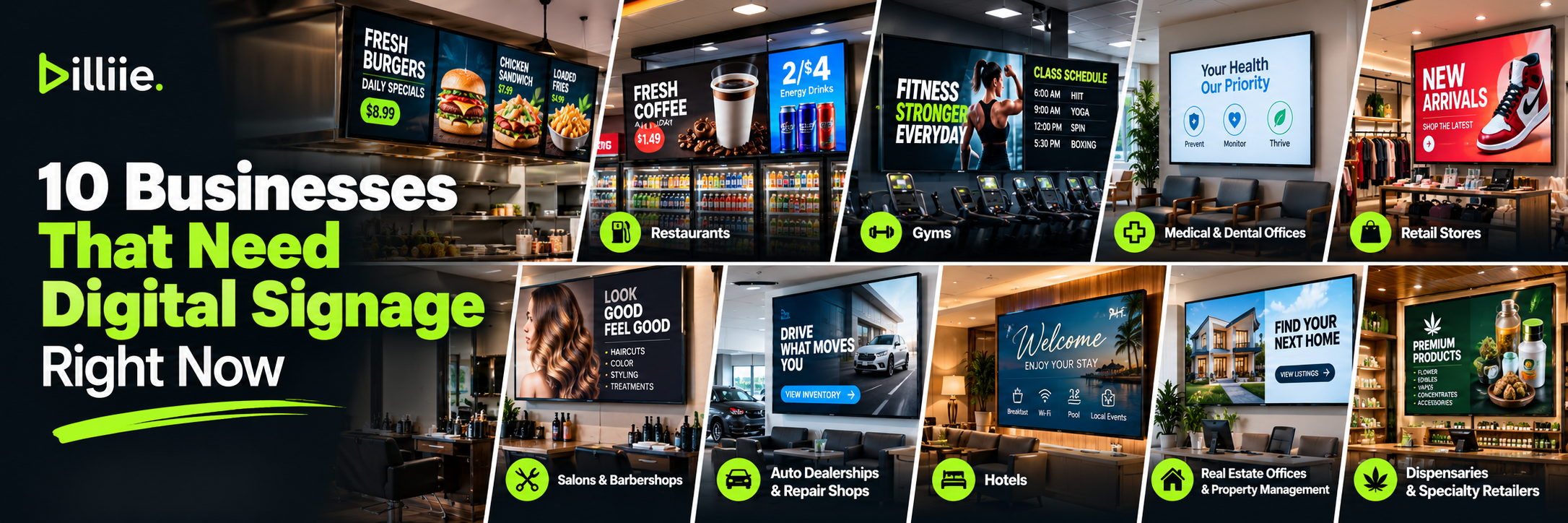
A high-end showroom, modern lobby, premium retail store, salon, dealership, real-estate office, or hospitality business may care significantly about presentation.
If your signage includes high-quality product photography and video, the screen itself becomes part of the customer experience.
When Spending More Makes Sense
Consider a better consumer display when:
The TV is highly visible to customers.
Your content relies heavily on photography or video.
The business has bright interior lighting.
The screen is part of a premium interior design.
Picture quality matters to your brand presentation.
For a simple sandwich menu, we'd save the money.
For a luxury showroom displaying high-resolution promotional videos, we'd consider the upgrade.
That's an important part of choosing the best TV for business digital signage: buy for the environment, not for the specification sheet.
5. Samsung BED-H Business TV — Best Business-Class Option
Recommended Size: 55″
Model: BED-H Series
Typical Price: Around $500–$550
Resolution: 4K UHD
Display Type: LED Business Display
Operating Time: Up to 16 hours/day, 7 days/week
Best For: Restaurants, retail stores, offices, multi-location businesses, and businesses requiring extended daily screen use
The first four choices demonstrate how consumer televisions can make digital signage affordable.
But there is a point where commercial hardware makes more sense.
Samsung's BED-H Business TV is designed specifically for business use.
Samsung rates models in this series for extended daily operation, which is the key distinction from the consumer televisions we've discussed.
Who Should Consider a Business Display?
A business-class television becomes more compelling when:
Screens operate from early morning until late at night.
The display is mission-critical.
The business has many locations.
Reliability matters more than minimizing the initial hardware cost.
The screens will be used heavily every day.
The organization prefers equipment specifically intended for commercial environments.
The Samsung won't always be necessary for a neighborhood deli with a screen operating during normal opening hours.
But a busy operation running displays for extended hours every day should at least compare commercial hardware before purchasing consumer televisions.
Bonus: LG PK340S — Another Commercial Signage Option
Recommended Size: 43″
Model: 43PK340S
Typical Price: Around $500
Resolution: 4K UHD
Display Type: Commercial UHD Signage TV
Operating Time: Up to 16 hours/day, 7 days/week
Backlight Life: Up to 30,000 hours
Best For: Restaurants, retail stores, offices, waiting rooms, and businesses requiring extended daily signage use`
LG's PK340S deserves an honorable mention because it demonstrates what changes when you move from home televisions into dedicated signage hardware.
LG categorizes the PK340S as UHD TV Signage and offers the series in multiple sizes.
This is the type of display businesses should investigate when they know their screens will operate for long periods every day.
A purpose-built signage display will typically cost more than a budget smart TV, but the decision shouldn't be based on purchase price alone.
Operating requirements matter.
Consumer TV vs. Commercial Display for Digital Signage
This is probably the most important question in this entire guide.
Do you actually need a commercial display?
Not always.
A small restaurant operating from 8 a.m. until 8 p.m. may decide that inexpensive consumer TVs provide the right balance between cost and performance.
Consider five 55-inch screens.
If consumer TVs cost around $200 each, the hardware investment could be around $1,000 before mounts and installation.
If commercial displays cost $500–$800 each, the same five-screen installation can quickly reach several thousand dollars.
For a small business, that's a meaningful difference.
However, commercial displays become easier to justify as operating requirements increase.
A screen expected to operate nearly continuously shouldn't automatically be treated the same as a TV used eight hours a day.
There is no universal winner in the consumer TV for digital signage versus commercial TV for digital signage debate. Match the hardware to the workload.
Don't Let a Screensaver Ruin Your Digital Signage
Buying the right TV is only part of the setup.
Consumer smart TVs often include power-saving settings, sleep timers, screensavers, automatic shutdown features, and other settings designed for home use.
Those features can become frustrating when the television is being used as a business display.
Imagine a restaurant expects its menu to remain visible throughout the day, but the TV enters a screensaver because of a default setting.
That's not a signage-software problem. It's a television configuration problem.
Before deploying a consumer TV, review its sleep, power-saving, screensaver, and automatic shutdown settings.
We cover this problem in more detail in our guide to setting up a digital signage screensaver and keeping business screens configured for signage use.
This step is particularly important when installing several TVs. A setting that's mildly annoying on one screen can become a major operational problem when repeated across ten or twenty displays.
What TV Size Is Best for Digital Signage?
For many small businesses, 43 to 55 inches is a practical starting range.
A 43-inch TV can work well in a smaller office, checkout area, or compact waiting room.
A 50- or 55-inch television gives menus and promotions more visual space and can work particularly well behind restaurant counters.
Larger 65-, 75-, and 85-inch screens become useful when viewing distances increase or when one large display needs to command attention.
But bigger isn't automatically better.
Three properly positioned 50-inch menu boards may communicate more effectively than one enormous screen overloaded with information.
Always design around viewing distance and content.
Don't Forget the Content
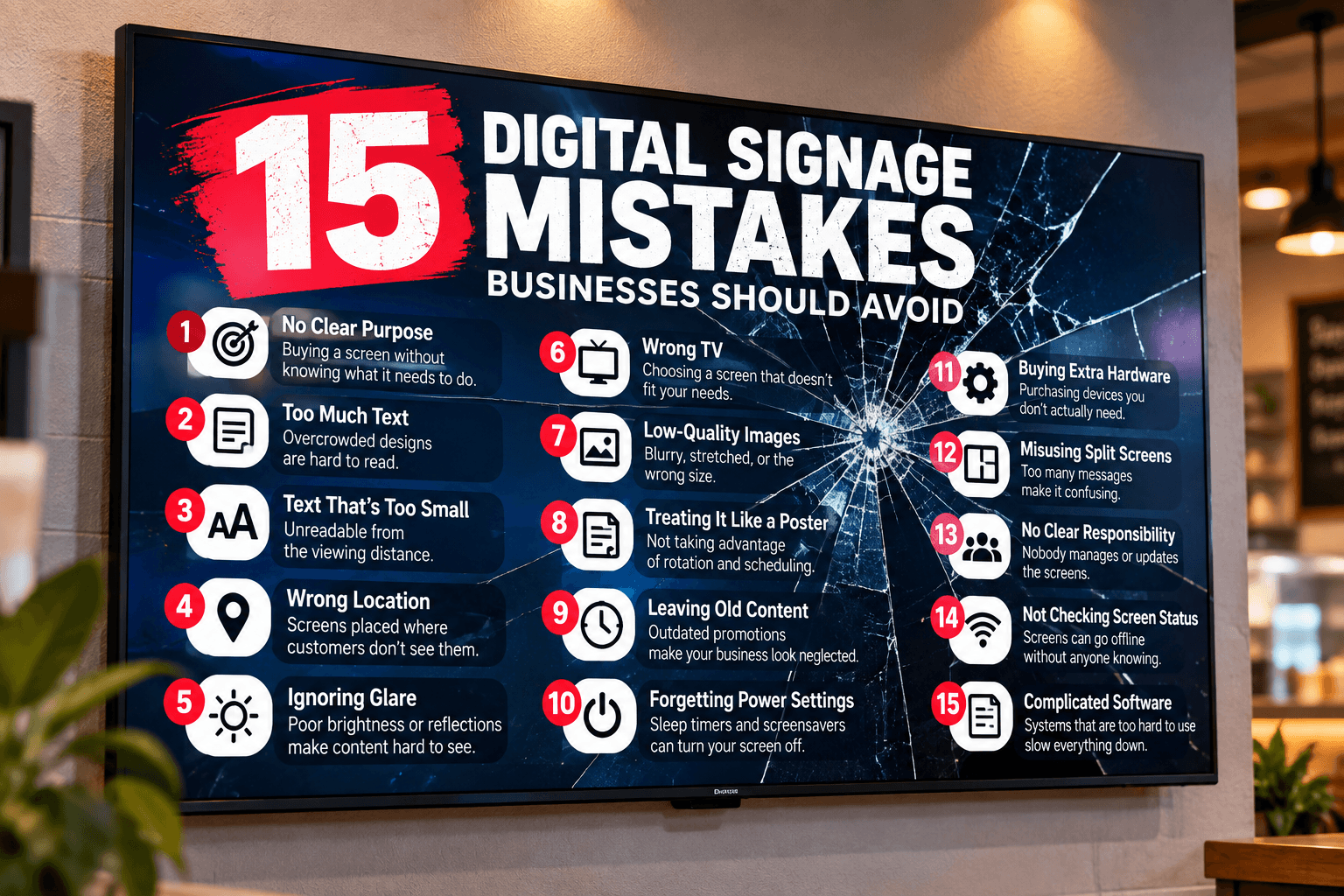
You can buy an excellent television and still end up with bad digital signage.
Tiny fonts, crowded layouts, low-resolution graphics, poor contrast, and too much information can make even an expensive display ineffective.
Your screen needs to be designed for the distance at which customers will view it.
With Billiie, businesses create their finished designs using their preferred designer or design software and then upload the finished images or videos to the platform.
Billiie isn't an in-app graphic editor.
Once the media is ready, businesses can upload it, choose the appropriate screen, schedule content, use different screen layouts, and manage displays remotely.
Our Final Advice Before Buying a TV for Digital Signage
Don't buy based solely on brand.
Start with five questions:
How many hours per day will the TV operate?
How bright is the room?
How far away will customers be?
What smart-TV platform does your signage software support?
How many screens are you purchasing?
For a typical small business trying to build affordable digital signage, an inexpensive Insignia Fire TV or TCL Google TV can be a sensible starting point.
For brighter environments, a Mini-LED model such as the Hisense M7 deserves consideration.
For premium indoor presentation, the TCL QM6K provides a higher-end consumer option.
And for businesses expecting long operating hours every day, a purpose-built Samsung or LG business display deserves serious consideration.
The best TVs for digital signage aren't necessarily the TVs with the highest specifications.
They're the screens that fit the environment, operating schedule, budget, and content you're actually going to display.
Start with what the business needs.
Then buy the screen.
Not the other way around.
Editorial Note: This article is for informational purposes only. TV specifications, pricing, availability, and compatibility may change. Always verify current manufacturer specifications and software compatibility before purchasing a TV for digital signage. Billiie is not affiliated with or endorsed by the TV brands mentioned in this guide.
Ready to bring Billiie to your business?
Manage your screens, content, and locations from one simple dashboard.
No commercial signage hardware neededPowered by Billiie